
Authentication
How to create, use, and revoke Nashra API keys — Settings → API keys, New key, expiration options, the Bearer token header, who on your team can manage keys, and what a 401 means.
Bearer token authentication
Every authenticated endpoint needs an API key. Pass it as a Bearer token in the Authorization header on every request:
Authorization: Bearer your_api_key_here
API keys authenticate requests to the Nashra API. They're separate from how you sign in to the dashboard itself — with email (a one-time code) or Continue with Google. Signing in doesn't give you a key; you create one separately, below.
Example request
curl https://app.nashra.ai/api/v1/subscribers \
  -H "Authorization: Bearer your_api_key_here"
A key belongs to one workspace, so every response is scoped to the workspace that created it. There's no separate workspace ID parameter — to work with two workspaces, create a key in each.
The public website endpoints under /api/v1/tenants/{slug}/... and the form action URLs don't need a key. See the API Overview.
Creating an API key
Open Settings → API keys
In the Nashra dashboard, open Settings and pick API keys under Workspace.
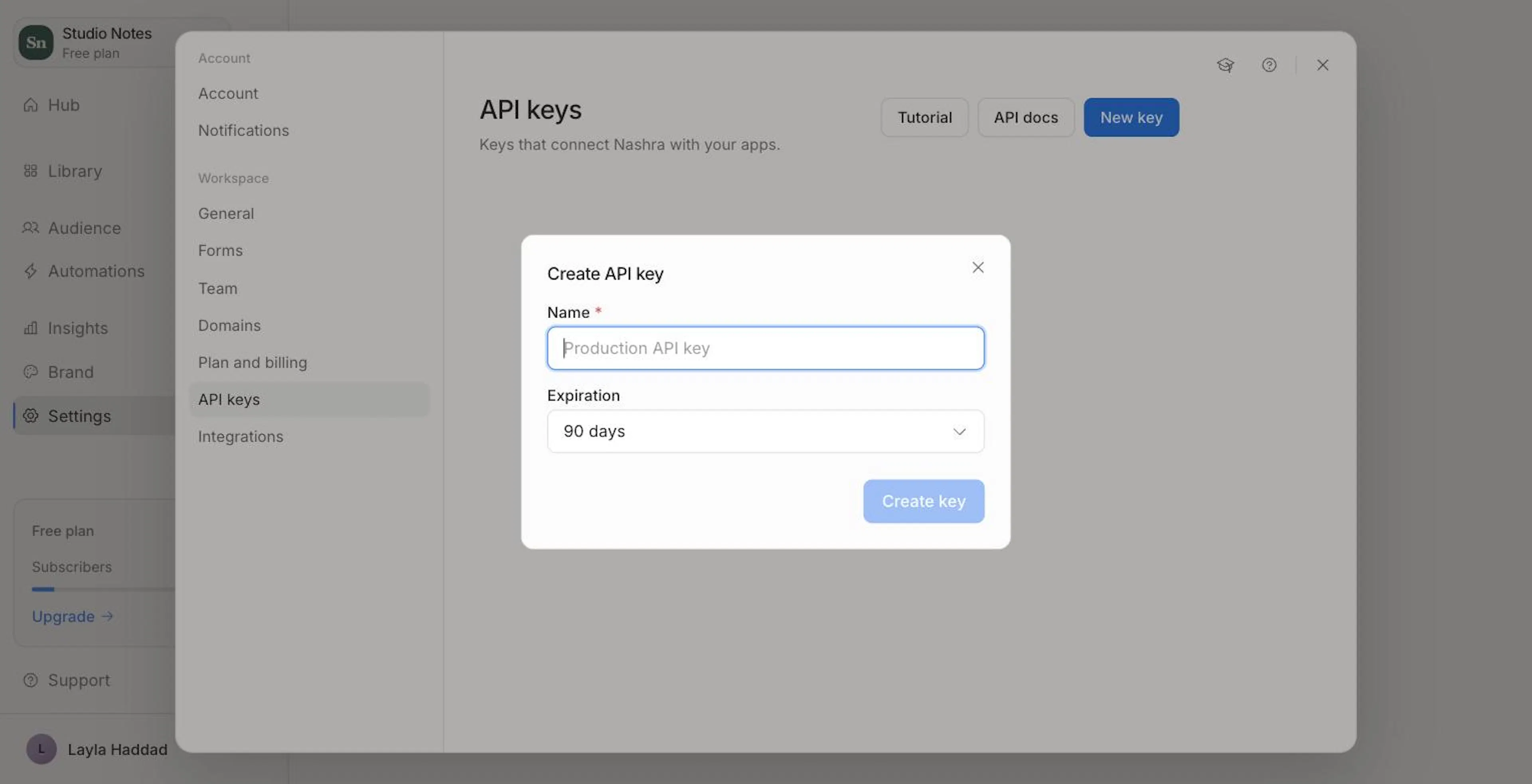
Click New key
Give it a clear name — e.g., "WordPress site", "Staging server", "Internal CRM sync".
Choose an expiration
Pick 30 days, 60 days, 90 days (the default), 1 year, or No expiry, then click Create key.
Copy your key
The key is shown once. Copy it and store it somewhere safe — you can't view it again.
Keys are shown once at creation. If you lose one, delete it and create a new one.
The workspace owner and admins can create and delete keys. Editors can see the list but can't change it. See Team & Roles.
Managing keys
Settings → API keys lists every key by name, with a masked key, when it was created, when it was Last used, and when it Expires. Use Last used to spot keys you can safely delete — which is also why a clear name per key matters.
Keys without an expiry stay valid until you delete them. Keys with an expiry stop working on that date.
To revoke a key, hover over its row, click the trash icon, and confirm Delete key. Apps using it lose access immediately — their requests start returning 401 Unauthorized.
When a request is rejected
A missing, expired, or deleted key gets a 401 with a short body:
{
  "message": "Unauthenticated."
}
Check that the header reads Authorization: Bearer followed by the full key, and that the key still appears in Settings → API keys without a past expiry date.
Security best practices
- HTTPS only — Always call
https://app.nashra.ai. - Treat keys like passwords — Never commit them to a repo, paste them in screenshots, or share them in chat.
- One key per integration — Easier to revoke a single integration without affecting others.
- Prefer an expiry — Especially for keys you hand to a contractor or a short-lived project.
- Revoke compromised keys immediately — Delete the key in Settings → API keys and create a new one.