
Categories
How to group posts under categories so readers can browse by topic — assigning, creating, renaming, and deleting a category from the post editor, bulk-changing categories and filtering by category in the Library, when a category earns a chip on your Hub, where categories show in emails, and how categories differ from subscriber tags.
What categories are for
Categories are the broad topics your posts fall under, the main sections of your Publishing Home. Each post belongs to one category at most: categories are single-select, not a multi-label system. Readers can filter by category to find what they're looking for.
Nashra has no post-level tags. Tags apply to subscribers only, a separate system for labeling and segmenting your audience. See Audience.
Categories vs. subscriber tags
The two are easy to conflate. They're unrelated systems that happen to share visual language (small colored labels).
| Categories | Subscriber tags | |
|---|---|---|
| Applies to | Posts | Subscribers |
| How many per item | One (single-select) | Any number |
| Purpose | Organize your posts for readers | Organize your audience for you |
| Visible to readers | Yes, on your Publishing Home, Hub, and emails | No, internal only |
| Managed from | The post editor and the Library | The Audience page |
Assigning a category
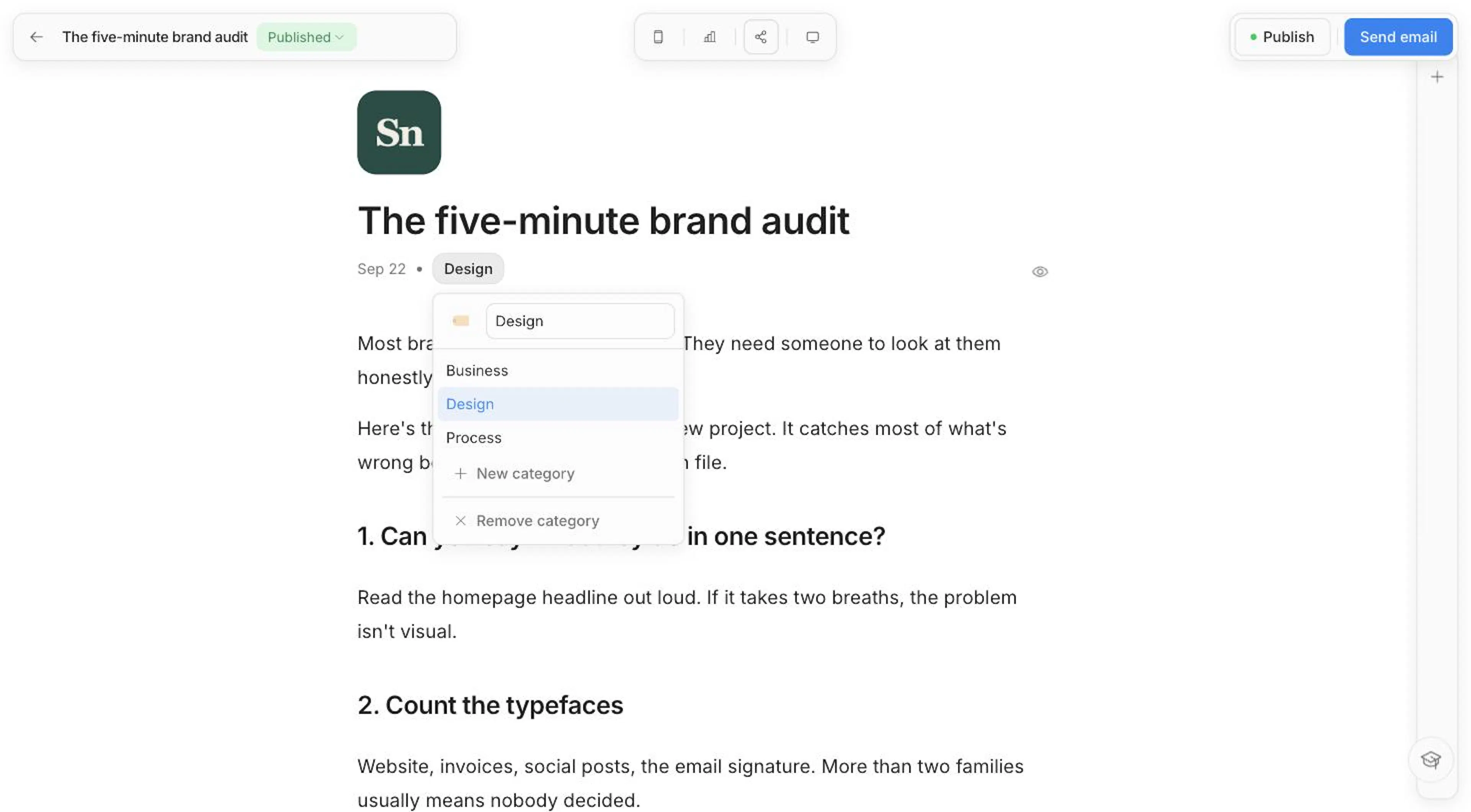
In the post editor, the line under the title shows the post's date. Beside it, click Post category, then type to search your categories or create a new one on the spot. Each category has an emoji (🏷️ until you pick another).
Managing categories
There's no separate categories screen. You create, rename, and delete categories from the same picker you use to assign them:
- Create — Type a name that doesn't exist yet, pick an emoji, and confirm. Names must be unique.
- Rename or change the emoji — Open the picker on a post that already has the category. Edits save automatically.
- Delete — Hover a category in the list and click the trash icon. Posts using it fall back to no category. Nothing else is affected.
- Remove from a post — Choose Remove category in the picker.
Categories in the Library
- Filter by category — On the Posts tab, click the arrow on the tab to pick a category, or All categories to see everything.
- Change many at once — Select posts, then use Change category in the bulk-action bar to move them all to one category, or Remove category to clear it.
See The Library for selecting and bulk actions.
Where categories show up
- Your Hub — When the category filter is on for your Hub, readers see a row of category chips above your posts. A category earns a chip only once it has at least one published post. A category whose posts are all drafts or unlisted stays out of the row, so no chip ever opens an empty page.
- Post pages — The category can appear near the post's title.
- Emails — The line under the title in an email reads date · category · Read online. Emails show the category's name without its emoji, which renders unreliably across mail apps.
Imported categories
When you import posts, each post brings its first category from the source platform. Nashra creates any category you don't have yet and skips WordPress's default "Uncategorized".
Best practices
- Keep it short — 3 to 7 categories is ideal. More than that and the structure starts to feel like noise.
- Be broad — Categories define the shape of your Publishing Home. Save the specifics for the post itself.
- Stay consistent — Pick a naming style (sentence case, lower case) and stick with it.
- Reorganize without fear — You can bulk-move posts between categories at any time.